ProvoLog

Private field notes for Android

Field notes you can stand behind.

Private, encrypted, offline-first notes with photos, voice and GPS. Photos are signed on your phone so any later edit can be detected. No account, no cloud, no server.

  • Encrypted on device
  • No account
  • Works offline
  • Signed photos
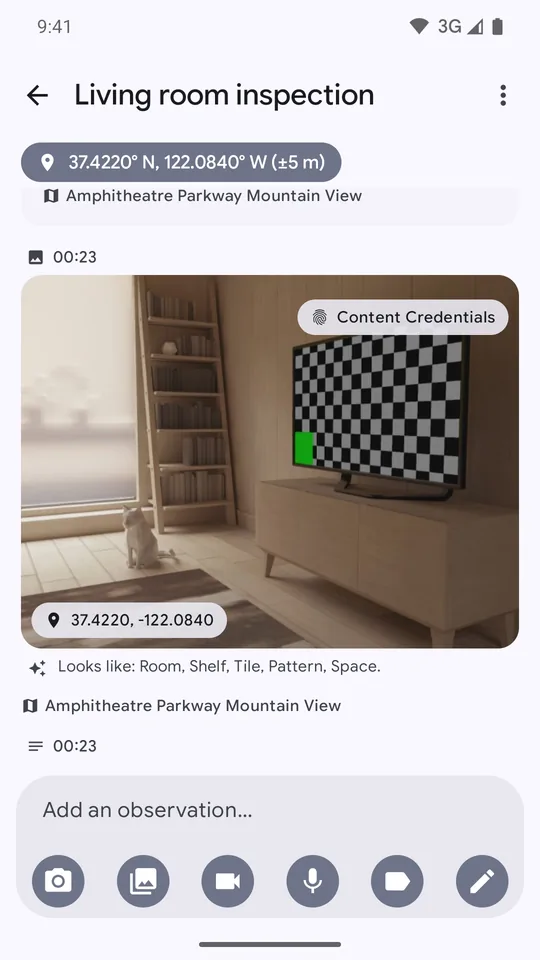
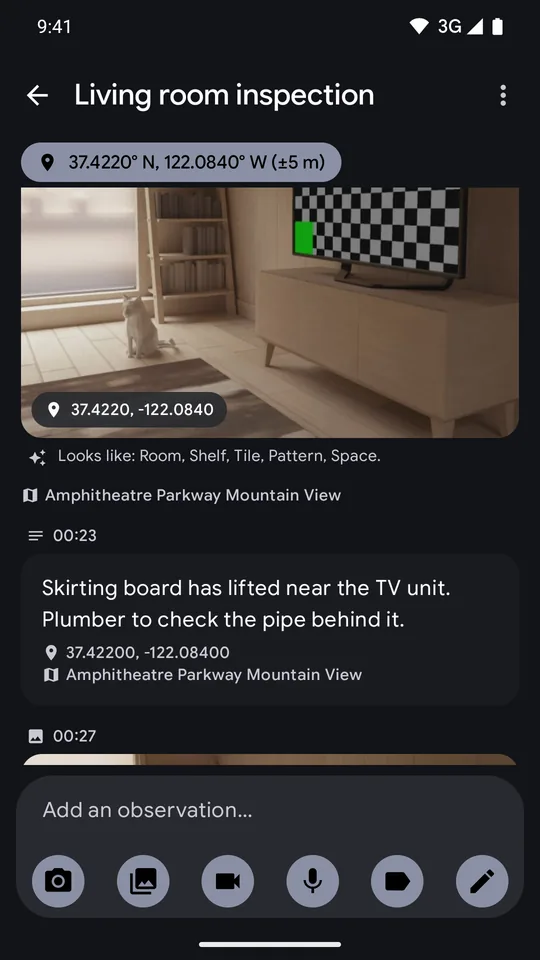
ProvoLog note timeline for a living room inspection, with a GPS chip and a photo marked Content Credentials
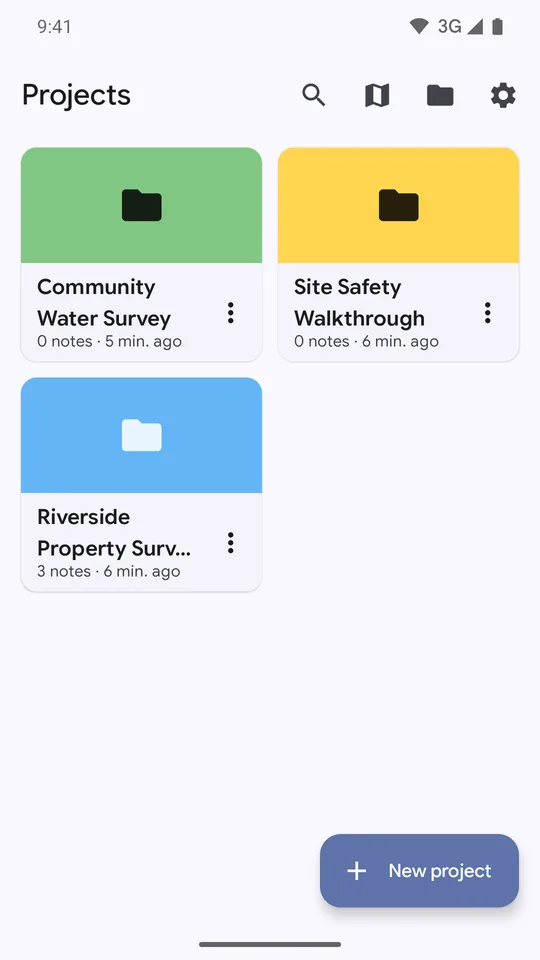
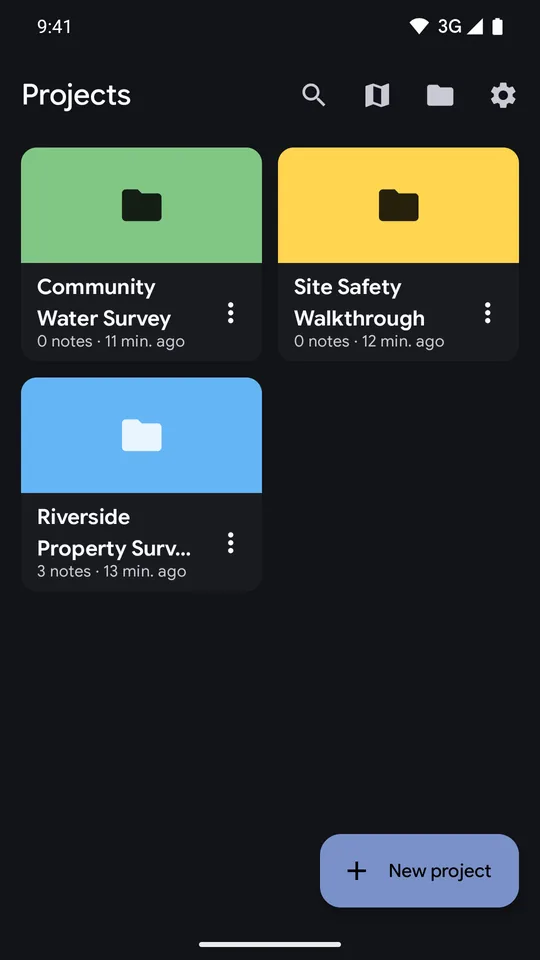
ProvoLog project list with three colour-coded projects

Built for real work

Inspectors, surveyors, researchers, journalists, NGO staff and legal observers use a field notebook to record what they saw, where and when.

  • Inspectors
  • Surveyors
  • Researchers
  • Journalists
  • NGO staff
  • Legal observers

Features

Everything you need on site, with your notes staying on your phone.

Capture first, organise later. Every screenshot below is from the real app.

Free

One timeline for the whole job

Organise work into projects, then add text, photos, audio and video to a timeline of dated entries. Each entry carries the time, GPS position and street address.

  • GPS position and address on every entry, when you allow location
  • Voice notes are turned into text on your phone after you record. A one-time 42 MB model download, then fully on-device
  • Tags, stars, filters and saved filters keep large projects tidy
Timeline of a living room inspection with a GPS position chip, a signed photo and an observation box with capture buttons
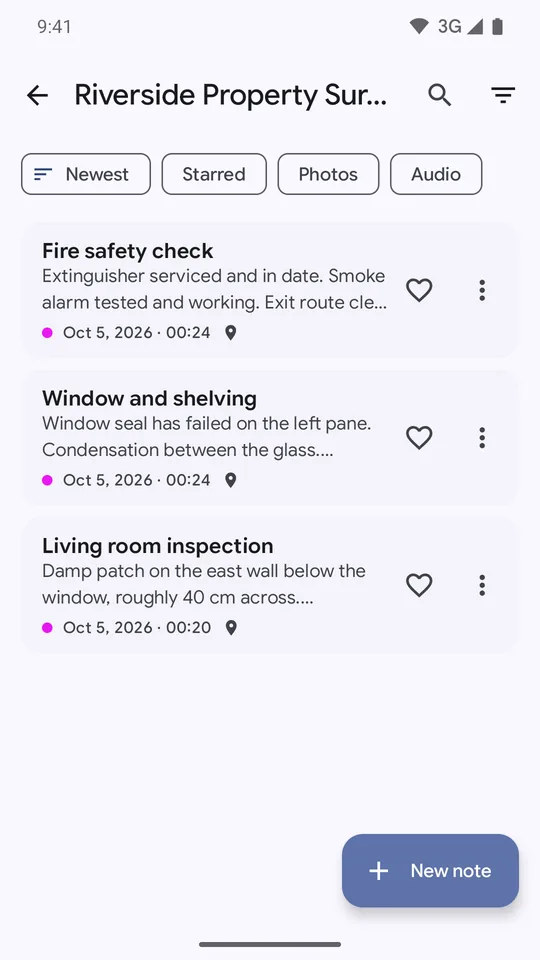
Note list for a property survey with filters for newest, starred, photos and audio
Pro

Read the text in your photos

On-device photo analysis adds scene labels and recognises text, so signs, gauges and equipment tags become searchable words. Nothing is uploaded: the models ship inside the app.

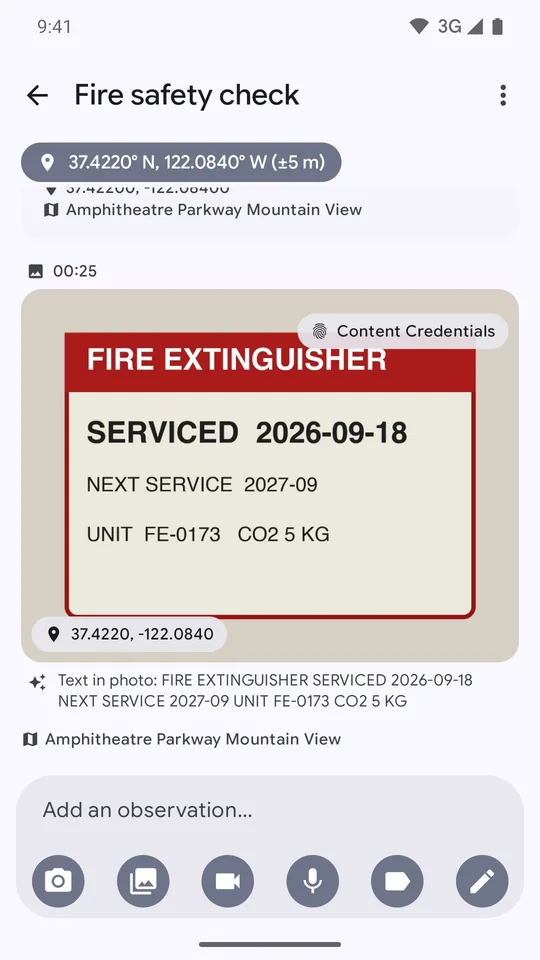
  • Text found in the photo is shown under the picture
  • Scene labels such as room, shelf and tile
A photo of a fire extinguisher label with the recognised text, serviced 2026-09-18, shown beneath it
Pro

Signed photos with a verify screen

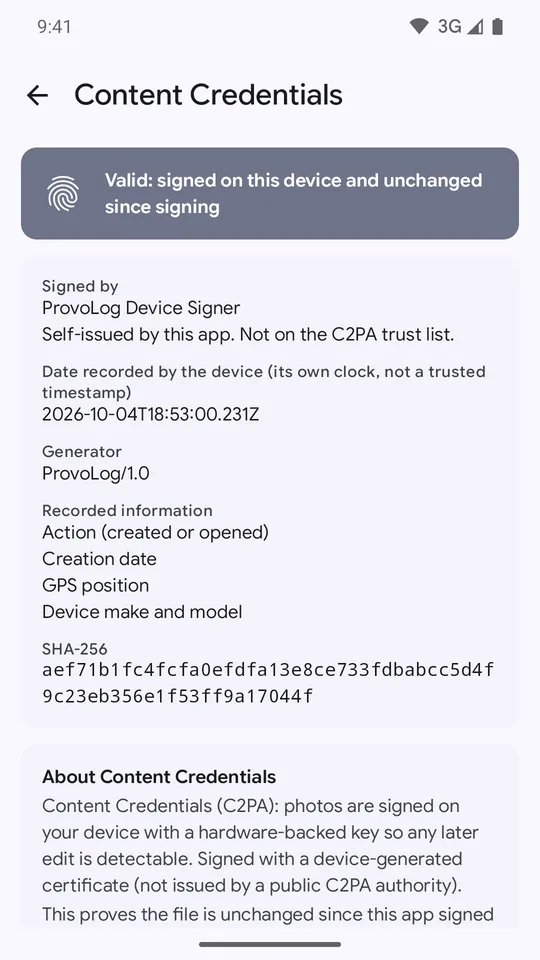
Each photo is signed with Content Credentials (C2PA) using a key held in the Android Keystore. Open the verify screen to see who signed it, what was recorded and whether the file is unchanged since signing.

  • Shows whether the file is valid and unchanged, who signed it and its SHA-256 hash
  • Records the creation date, GPS position and device make and model

How Content Credentials work, and their limits

Content Credentials screen reading valid: signed on this device and unchanged since signing
Free

Search everything, including what you said

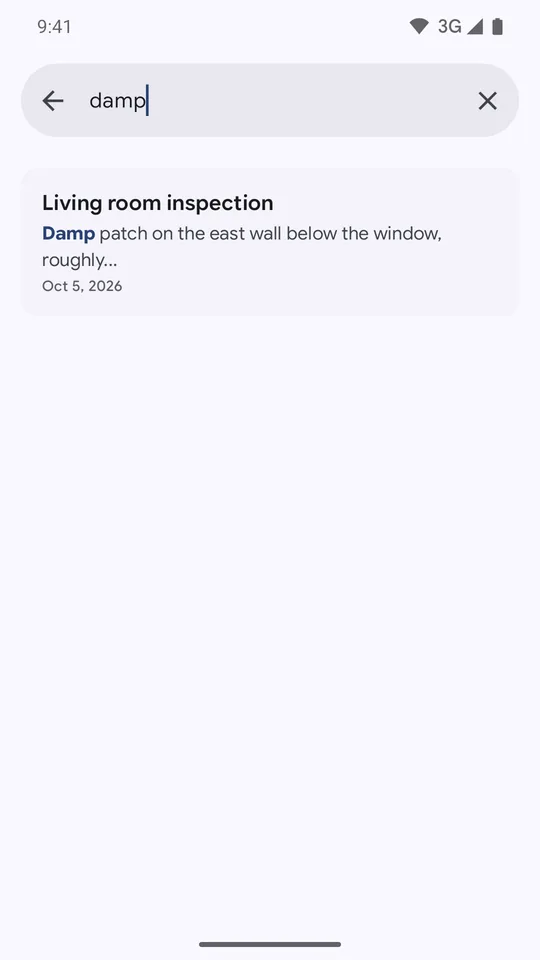
One search box covers every note, including voice transcripts and, with Pro, the text found inside photos. Typing “damp” finds the note where you described a damp patch on a wall.

  • Matches are highlighted in the result
  • Voice transcripts are searchable as text
Search screen with the query damp and one matching note highlighted
Pro

Every located note on one map

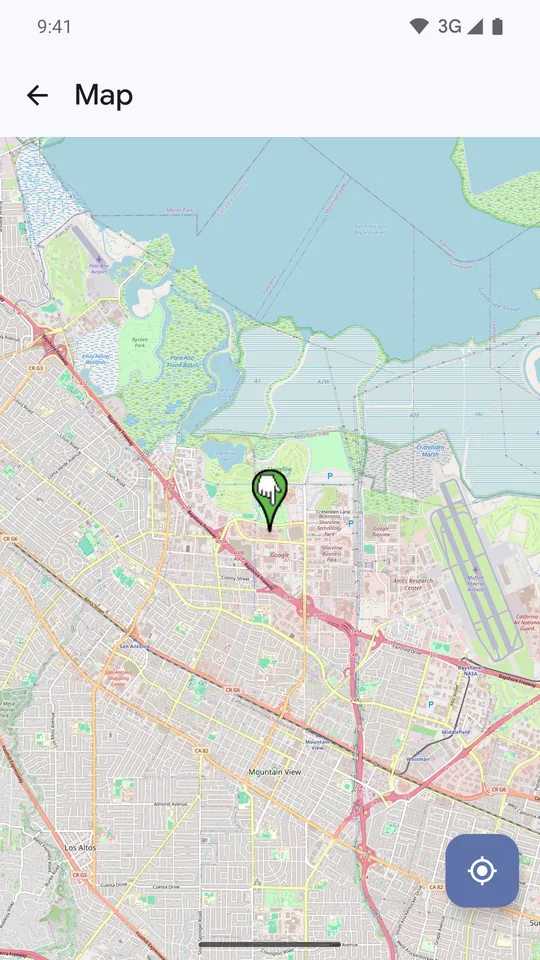
See where each note was taken on a street map. Tiles load from OpenStreetMap when you open the map, and your note content is never sent.

  • Jump to your current position with one tap
  • Location is optional, and only used while the app is open
Map view with a pin marking where a note was recorded
PDF free, ZIP Pro

Reports you can hand over

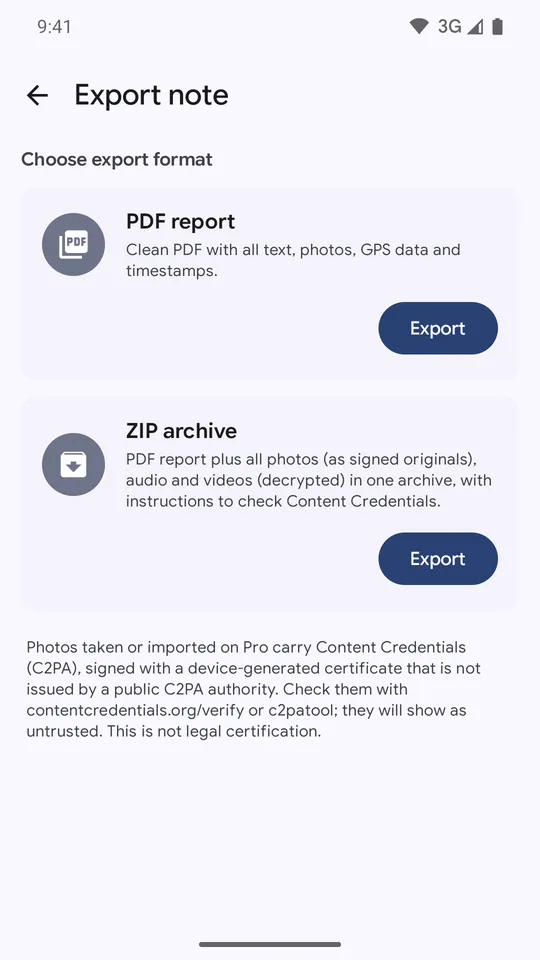
Export any note as a clean PDF with all text, photos, GPS data and timestamps. With Pro, also export a ZIP archive that adds signed original photos plus decrypted audio and video, with instructions for checking the Content Credentials.

  • PDF report of any note
  • ZIP with signed originals, audio and video
  • Exports are not encrypted. They go wherever you send them
Export note screen offering a PDF report and a ZIP archive

Private by design

Your notes stay on your phone. We never receive them.

There is no account and no server. The app is built so that nothing needs to leave the device, and every protection below is on by default.

Encrypted database

Notes live in a SQLCipher database with AES-256 encryption.

Encrypted media

Photos, audio and video are encrypted with AES-256-GCM when saved.

Keys in the Keystore

Encryption and signing keys are held in the Android Keystore.

Biometric or PIN lock

Unlock with fingerprint, face, your device lock or an app PIN. Biometric data never reaches the app.

Project passcodes

Pro lets you lock single projects with their own passcode.

Duress PIN

An optional PIN that erases all ProvoLog data on the device immediately and permanently.

Screenshots blocked

Screenshots and the recent-apps preview are blocked inside the app.

No backups

App backups are off, so nothing is copied to Google Drive or a new phone.

No account, no analytics

No sign-up, no analytics or crash-reporting SDKs of our own, and nothing is sold.

The honest note about the network

Notes, photos, audio, search, signing and export all work without a signal. ProvoLog connects to the internet only in these five cases:

  1. Ads, free version only. Served by Google AdMob, with Google’s consent form where the law requires it. Pro does not load the ads SDK.
  2. Voice model download. The speech model (about 42 MB) is fetched once from huggingface.co the first time you use transcription.
  3. Map tiles, Pro. OpenStreetMap servers see your IP address and the map area, never your note content.
  4. Address lookup. Android’s Google-provided geocoder turns coordinates into an address. Deny location and nothing is sent.
  5. Purchases. Google Play Billing handles Pro. We receive no payment details.

Read the full privacy policy

Content Credentials

A way to check that a photo has not changed since it was signed.

With Pro, photos are signed on your phone using the open C2PA standard. If anyone edits the file afterwards, the signature no longer matches.

  1. Sign on the device

    The signing key is held in the Android Keystore and never leaves the phone.

  2. The record travels with the file

    The signed record is stored inside the JPEG and can include the time, GPS position and your phone’s make and model. It does not include your name, an account or serial numbers. If you share a signed photo, the record goes with it.

  3. Verify it anywhere

    Check a photo in the ProvoLog verify screen, at contentcredentials.org/verify, or with the open-source c2patool command line tool.

What it is not

  • Photos are signed with a self-issued certificate created on your device. It is not issued by a public authority, so other verifiers will show it as untrusted.
  • The signing date comes from the phone’s own clock, not a trusted timestamp service.
  • It is an integrity aid, not legal certification. It shows a file is unchanged since this app signed it, not that the scene was genuine.

Free and Pro

Pay once, keep it. No subscription.

The free version is a complete private notebook. Pro is a single $2.49 purchase through Google Play that unlocks the rest.

Free

$0

Supported by ads

  • Up to 3 projects
  • Text, photo, audio and video capture
  • GPS and address on every entry
  • On-device voice transcription
  • Search, tags, stars and filters
  • PDF export
  • Ads are shown
One-time purchase

Pro

$2.49 once, no subscription

Everything in Free, plus

  • Unlimited projects
  • Content Credentials: signed photos
  • Photo analysis: labels and text in photos
  • Map view of every located note
  • AI summarise and rewrite, on the device
  • ZIP export with signed originals
  • Password-locked projects
  • No ads

Material 3

Light or dark, it follows your phone.

ProvoLog uses Material 3 and Google Sans Flex, and switches with your system theme so it stays easy on the eyes in a dim site office.

ProvoLog project list in dark theme
ProvoLog note timeline in dark theme with a GPS chip and a photo

FAQ

Questions, answered plainly.

Does it need an account?

No. There is no sign-up and no email address to give. Install it and start writing.

Where is my data?

Only on your phone. The database is encrypted with SQLCipher (AES-256), photos, audio and video with AES-256-GCM, and the keys are held in the Android Keystore. App backups are off and we run no servers, so we hold no copy and cannot recover deleted data.

What does the network get used for?

Five things only: ads on the free tier, the one-time voice model download, Pro map tiles, street-address lookup through Android’s geocoder, and Google Play purchases. Everything else works without a connection. See the details above.

Can I verify a photo?

Yes, if it was signed with Pro. Use the verify screen in the app, upload the file to contentcredentials.org/verify, or run c2patool. Because the certificate is self-issued, other tools will report it as untrusted, and it is not legal certification.

What happens if I forget my PIN?

You can unlock with your fingerprint, face or device lock if you enabled them. Because nothing is stored in the cloud, we hold no copy of your notes and cannot recover them for you, so keep an exported PDF or ZIP of anything critical.

What is the duress PIN?

An optional second PIN. Entering it erases all ProvoLog data on the device immediately and permanently. It exists for situations where you may be forced to unlock the app. There is no undo, so set it up deliberately.

Does it work offline?

Yes. Notes, photos, audio, search, signing and export work without a signal. The one-time voice model download needs a connection, and the Pro map needs one to load tiles.